No chat.
No feed, no likes, no typing dots, and nothing asking for your attention. At most one quiet notice when a letter arrives, if you allow it. The only way to reply to a letter is to write one.
Dearest, by Origa Labs
Dearest is a letter-writing app for your family. Write a letter, seal it, send it to your circle.
No chat. No feed. No likes. The only way to reply to a letter is to write one.
The demo opens in your browser with a made-up family's letters. There is nothing to sign up for, and nothing you type is saved.
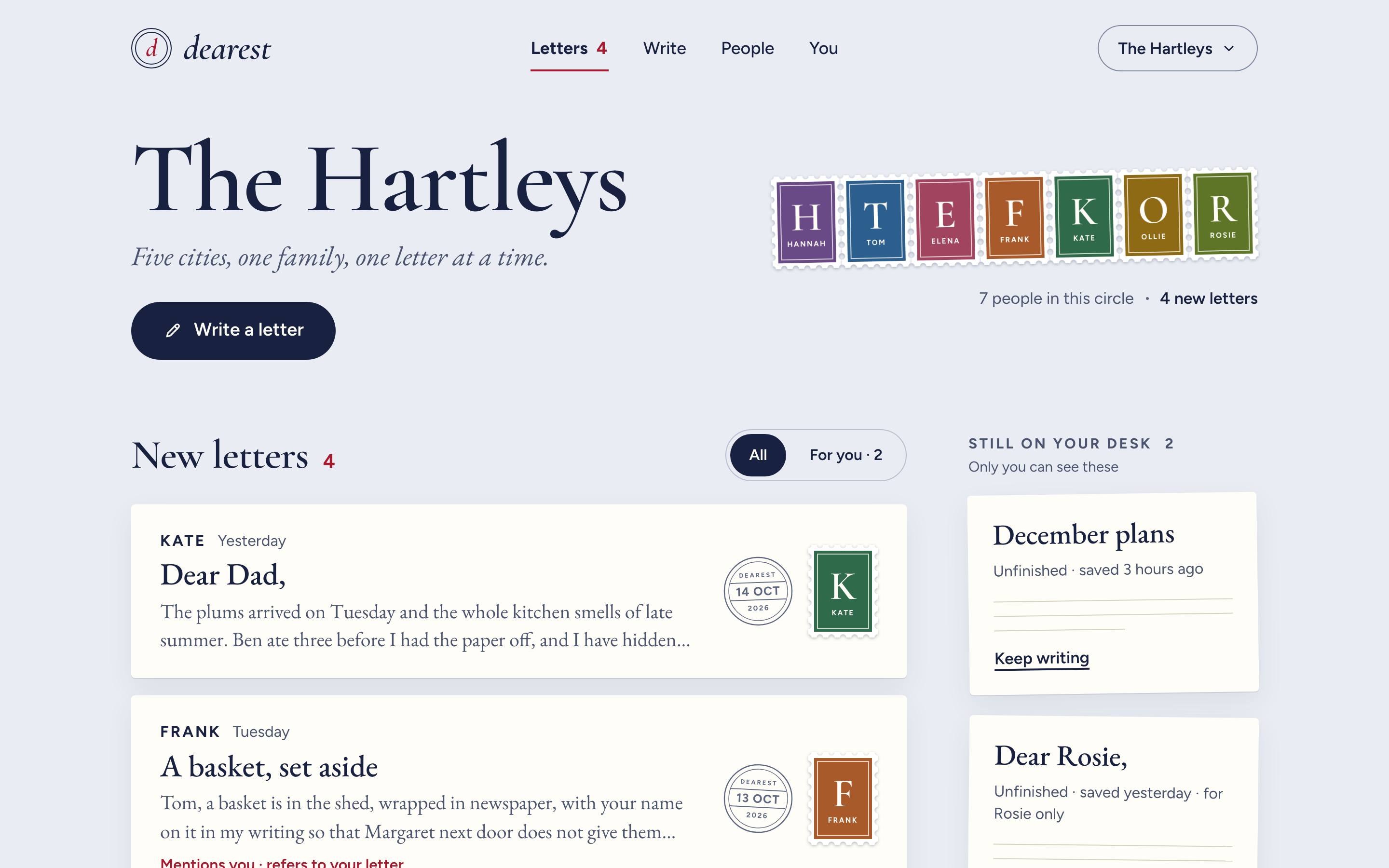
Dear Dad,
The plums arrived on Tuesday and the whole kitchen smells of late summer. Ben ate three before dinner and blamed the dog.
I kept the stones for the garden, the way you showed us. Write back and tell me about the apples.
With love,
01 / How it works
Set up on a small server in an afternoon with the helper, or on your computer at home in a few minutes.
Put Dearest on a small server of your own with the helper, or open it on a computer at home. Make your account and name your circle. Usually that is your family.
Dearest gives you an invite link. Your family opens it on a phone or computer, adds a name and a password, and they are in.
Send it to the whole circle, or seal it to a few people. To answer, they write a letter back.
02 / What is different
Dearest is slower than a group chat, on purpose. A letter takes a little thought to write, and it is worth keeping once it arrives.
No feed, no likes, no typing dots, and nothing asking for your attention. At most one quiet notice when a letter arrives, if you allow it. The only way to reply to a letter is to write one.
Send a letter to the whole circle, or seal it to a few people. Only they can read it, and the letter says so. Once sent, a letter stays as written.
Sealed. Only you, Kate and Hannah can read this.
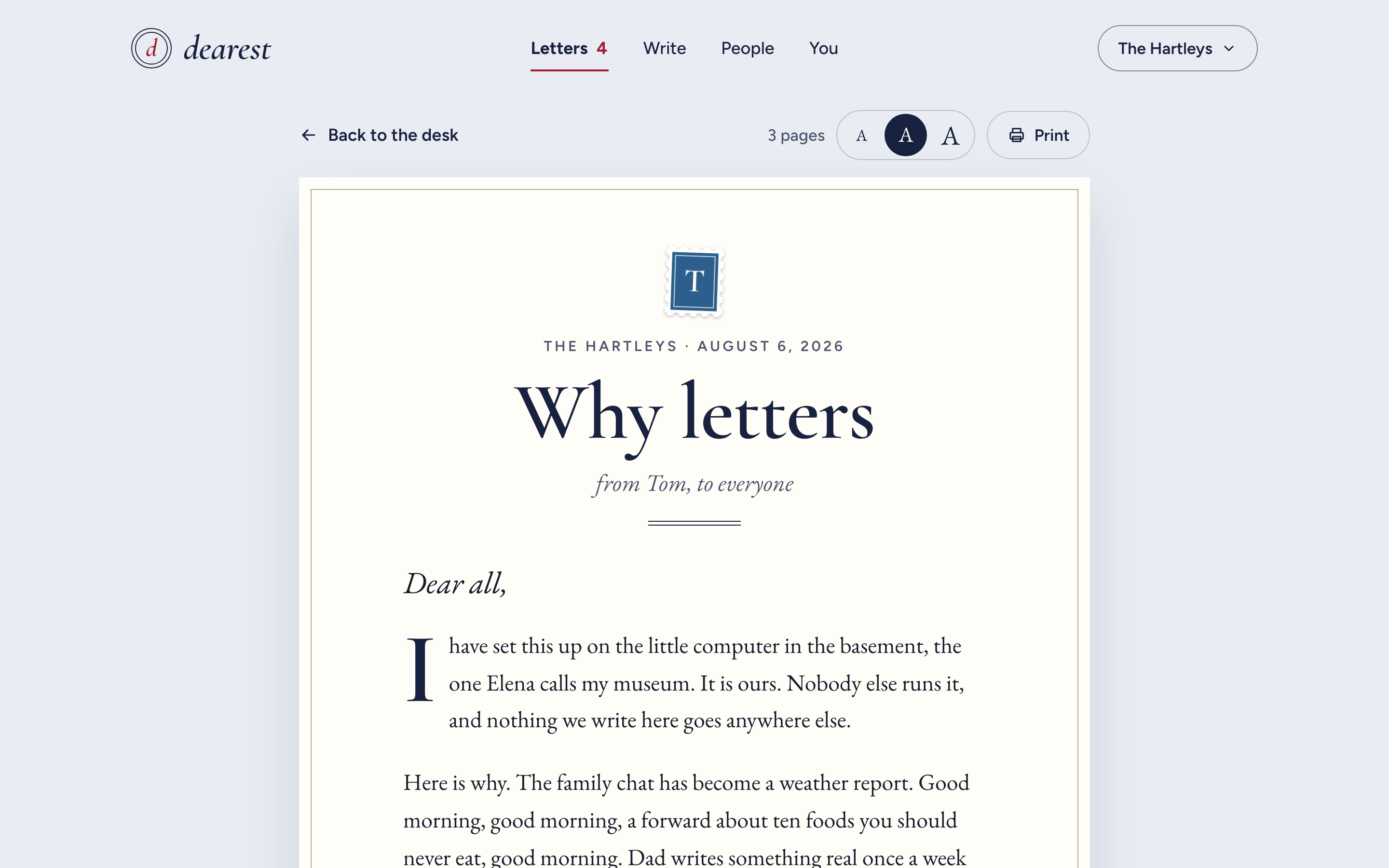
A letter can refer to earlier letters and mention people by name. Each letter shows what it refers to and which letters refer back to it, so a conversation builds slowly, the way correspondence does.
Letters sealed to you, mentioning you or referring to your letters wait under For you.
Your letters live on your own server or your computer, in one folder you can back up. Whoever runs Dearest can export the whole archive as a zip of JSON, Markdown and HTML.
No tracking. Nothing is sent to us, unless you check for an update; then Dearest sends the licence key, its version and its platform, and nothing else.

03 / Every device
Dearest works on iPhone, Android, Mac and Windows through the browser, and installs to the home screen like an app. There is no app store app. On your own server, it can also tell you when a letter arrives, if you allow it: one notice per letter, and nothing else.
Dearest itself runs in one place: a small Linux server, or a computer at home (a Mac with Apple silicon or Intel, a Windows PC or Linux). Everyone else only needs a browser.

04 / Self-hosting
There is no Dearest cloud. You run it, and your letters stay with you.
From anywhere
Your family writes from wherever they live, at a web address of your own, and Dearest can tell them when a letter arrives. Buy a domain at Cloudflare, create a small server at Hetzner, and run one command from your own computer. The helper, put-on-server, sets Dearest up for you, and Dearest gets its own HTTPS certificate from Let’s Encrypt.
The hosting guide, included with your purchase, walks you through every step, and covers Docker and Caddy or Traefik too.
Dearest is running at https://letters.thehartleys.family
Open it and finish setup now, before you share the address.At home
To try it out, or for a family under one roof. Download, double-click, done. Dearest opens your browser and shows the address to share. Phones and computers on the same Wi-Fi open that address. Keep the Dearest window open while you use it. Notices are not possible on a home Wi-Fi address.
Dearest 1.0.0 is running.

  On this computer:   http://localhost:3327
On your Wi-Fi: http://192.168.1.24:3327Backups are a folder. Everything Dearest keeps lives in one folder. Stop Dearest, copy the folder, and you have a backup.
05 / One-time purchase
One purchase. No subscription. For up to 30 people.
Buy DearestWant to look first? Try the demo in your browser, with a made-up family's letters.
Checkout is handled by Gumroad. After you buy, download the all-platforms zip for a server, or the zip for your computer, and open the guide inside.
On your own server, you pay the hosting company a few euros a month, and a domain costs a little each year; none of it comes to us. On a computer at home, there is nothing more to pay.
Need room for more people? Write to hello@origalabs.com.
06 / Questions
No. One person runs Dearest. Everyone else joins with an invite link and uses it in their browser.
Up to 30 people on one Dearest. Each person counts once, however many circles they are in, and you can make as many circles as you like. People shows how many places are taken, such as “14 of 30”. If you need room for more people, write to hello@origalabs.com.
No, and there is no native app. Dearest runs in the browser on iPhone, Android, Mac and Windows, and you can add it to your home screen so it opens like an app.
Not on a server, which is always on. When Dearest runs on a computer at home, that computer needs to be on with the Dearest window open for others to read and write.
Yes, with Dearest on your own server and a domain. The helper sets the server up from your own computer, and the hosting guide shows every step. If Dearest runs on a computer at home, only people on the same Wi-Fi can use it.
The smallest server at Hetzner costs about 6 EUR a month, paid to Hetzner, and a .com domain at Cloudflare about 10 USD a year. None of it comes to us. Prices change, so check Hetzner’s price page.
Only one kind, and only if you allow it. On your own server, Dearest can tell you when a letter arrives: one notice per letter, naming who wrote, and nothing else. It never sends email. On a home Wi-Fi address, notices are not possible.
No. Your letters are stored on the server or computer that runs Dearest. Nothing is sent to us, unless you check for an update; then Dearest sends the licence key, its version and its platform, and nothing else. Otherwise the only traffic Dearest sends out goes to Let’s Encrypt, for its certificate on a server, and to the browsers’ push services, to deliver the notices you allowed. A notice names who wrote, never what the letter says.
The person who runs Dearest can make a one-time reset link for them.
Dearest is not yet signed with Apple or Microsoft. macOS asks you to allow it once in System Settings, and Windows shows a SmartScreen notice with a Run anyway option. Start here.html walks you through both.
Yes. Place a photograph between the paragraphs of a letter, or choose several to make a set that is looked through one at a time, each with a caption if you want one. A photograph is never cropped, and it lives only inside its letter, on your own server or computer.
Yes. Updates to 1.x are included with your purchase. When one is ready, Gumroad emails you and the new files appear in your Gumroad Library. You can also install it from inside Dearest: paste the licence key from your Gumroad receipt once, then check for updates and install. The key is only for updates. Dearest runs without it, and the people you invite never see it.
Dearest is made by Origa Labs.